
The interface
Every panel here is a control surface, not a readout: click a block to bypass it, click a fader to move it, click a name to rename it. Nothing on this page is decoration you have to go elsewhere to act on.
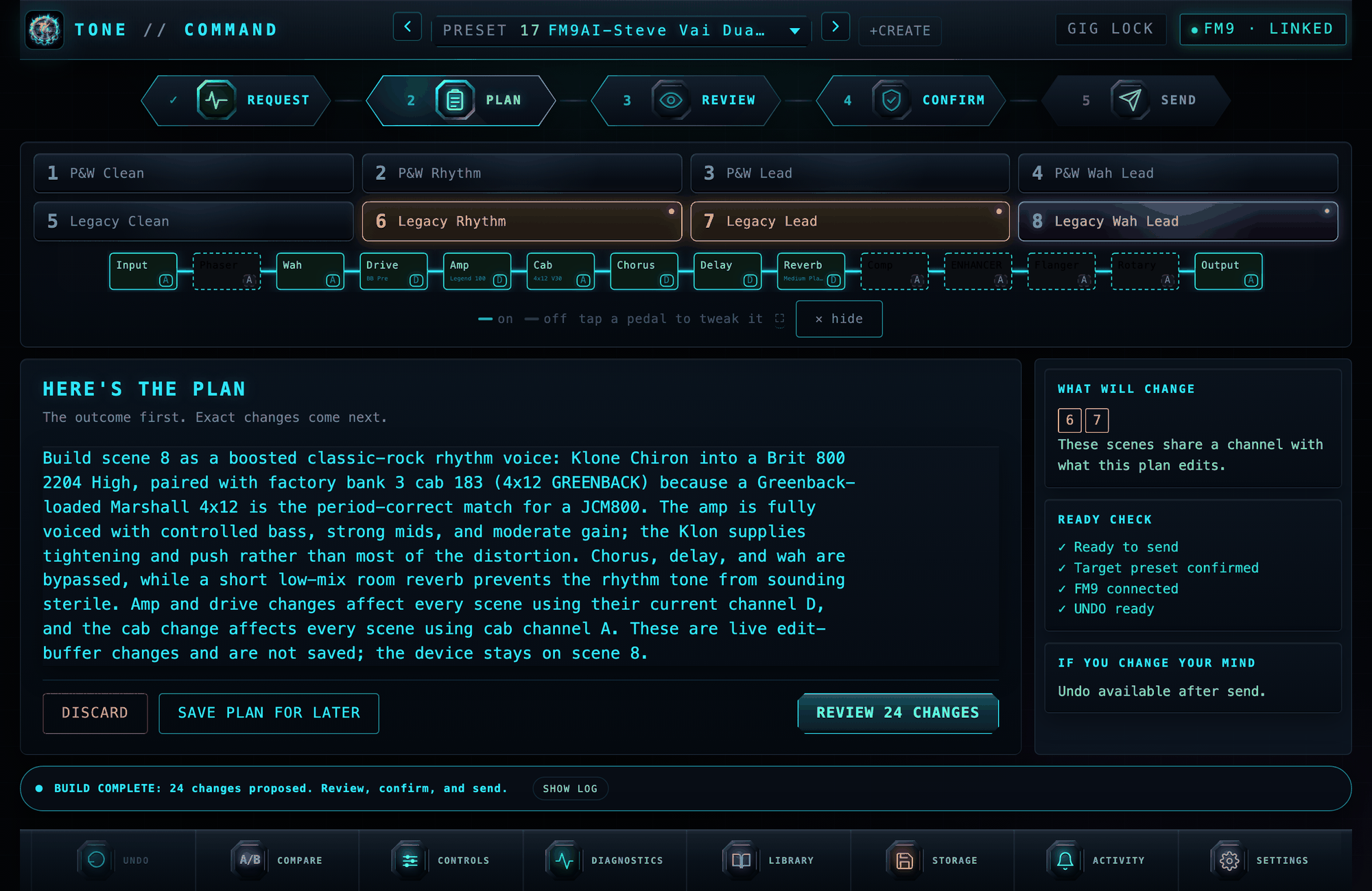
Everything above is live from a connected FM9. The cyan path is the signal actually reaching the output; the dashed blocks are bypassed but still passing through. Nothing on this page is a mock-up.
Two ways to work
The page has two tabs. DESIGN WITH AI holds the conversation, the plan it proposes, recipes and scratch builds. MANUAL holds every slider: amp and cab, graphic EQ, effects, dynamics.
Scenes and the signal chain sit above both, because they are what you are looking at either way. Undo, save and the log sit below both, because they cover what either half just did. A plan waiting to be confirmed always brings the AI tab forward: a proposal you cannot see is one you cannot refuse.
Talking it through first
A tone is an opinion, and the first sentence somebody types is rarely the one they mean. "Warmer" from a player chasing a Dumble and "warmer" from one chasing a Vox are different edits.
Say what you want in the COMMAND box and press SEND. It replies, asking about what you can hear rather than about parameter names, and it knows what is in your preset, so it names your actual amp and cab rather than talking in the abstract. Keep going until you agree. When it has enough to go on it shows the agreed change and offers BUILD THIS.
One box, one action. Building is offered once there is something agreed to build, and not before.
Nothing about safety changes. Conversation produces no actions and has no path
to the hardware; it produces a better sentence, and that sentence goes through
the same planner, the same validate_action and the same confirm gate as any
other. If the planner needs to ask something before it can act, its question
now lands in the conversation, where there is a box to answer it.
The signal chain is your actual routing grid
Rows, columns and cables as the unit has them, with the live path lit and anything the signal never reaches left grey. Click a block to bypass or engage it; click its channel letter to cycle A through D. The traversal is the same one the path audit uses, so what is drawn is what was proven, not a second guess at it.
Audition amps and cabs faster than the unit can
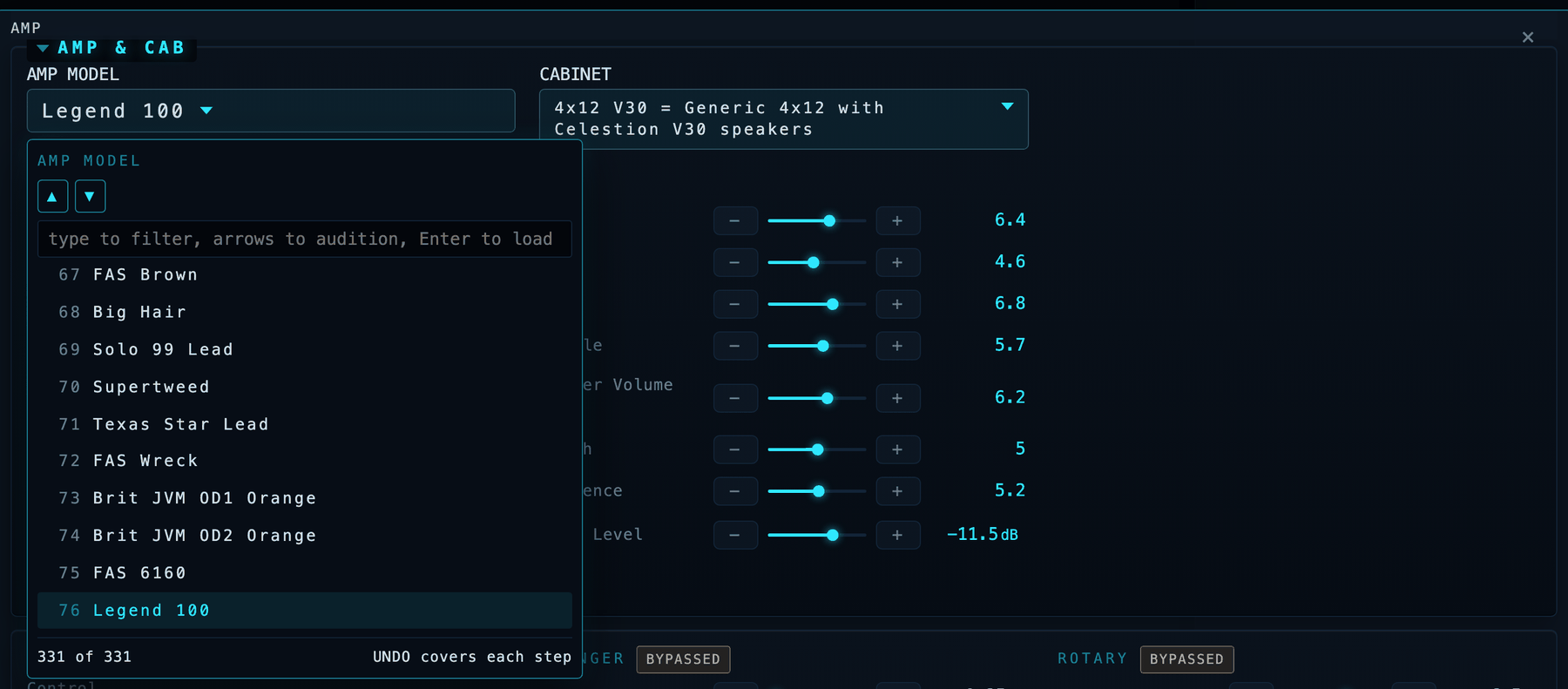
On the FM9, changing a cabinet means turning a knob through 1024 entries one at a time, because there is nowhere to type. Here you type two letters and step the shortlist with the arrow keys while you keep playing. 331 amps and 2,237 cabs, searchable by name and by what the cab actually is, because "Vibrolux" lives in the description.
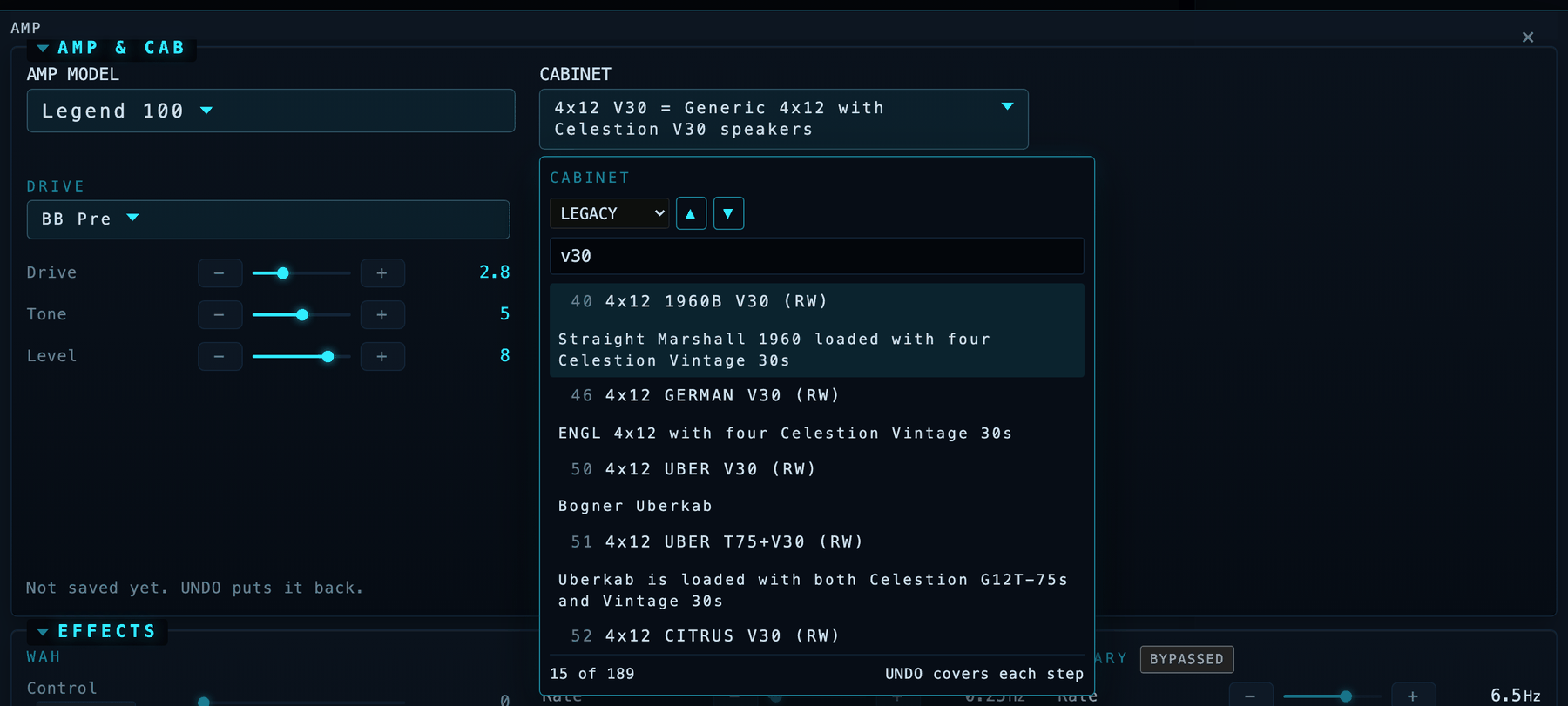
Every step loads on the unit and is covered by UNDO, because an audition you cannot back out of is a trap rather than a feature.
A graphic EQ drawn the way one looks
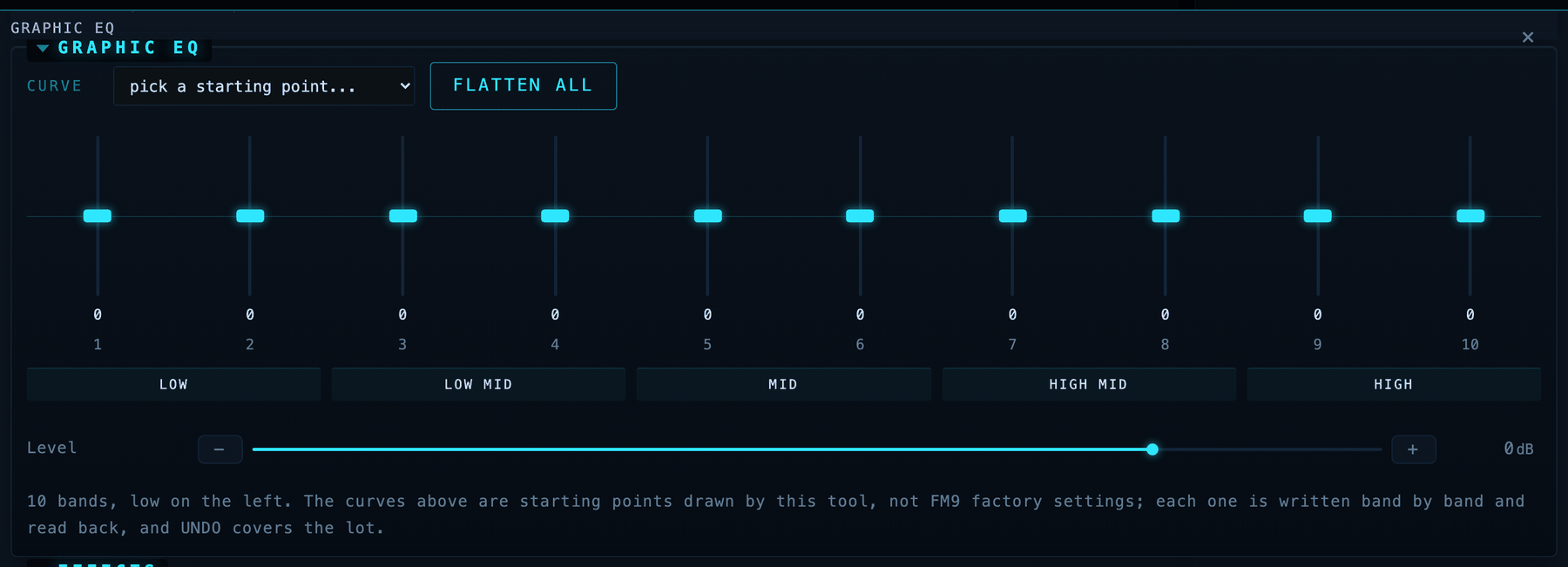
Ten horizontal rows of numbers is a spreadsheet of an EQ, not an EQ. The point of the control is that the curve is a shape you read at a glance, and every musician already knows how to read it. So: faders standing up, zero a line across the middle, the whole width of its own panel.
Seven starting curves and one click back to flat. A curve is written as a single batch, so it takes one undo snapshot and cannot land half applied. Those curves are ones this project drew, not FM9 factory settings, and the panel says so.
The bands are numbered, not labelled with frequencies. GEQ_TYPE is an
eighteen-value enum selecting the band layout and the catalogue carries one
label per parameter, so those frequencies cannot all be right for the EQ you
have loaded, and they are neither ascending nor unique. The strip underneath
names the region instead, which is true of every graphic EQ ever built.
Why did that change do nothing?
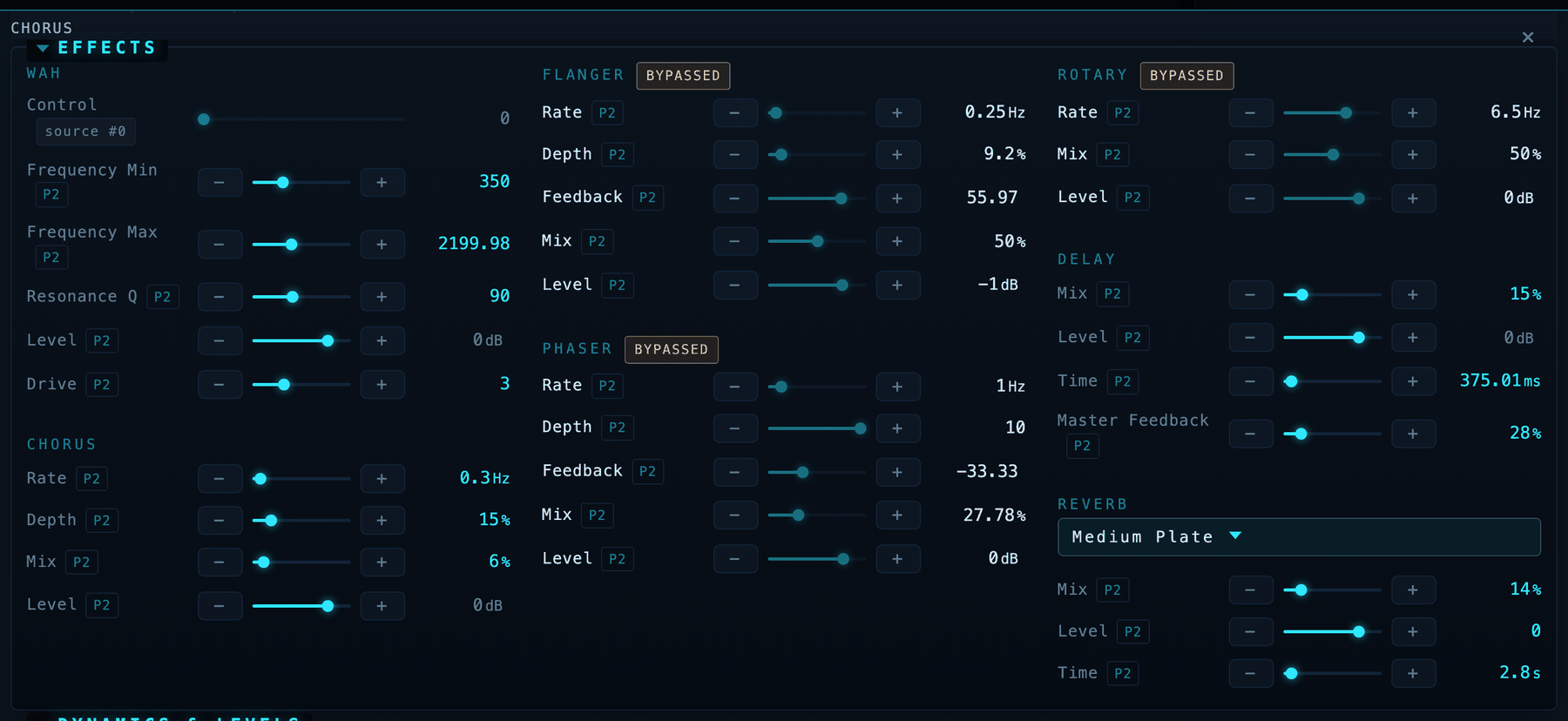
The most misleading thing a tone tool can say is "verified" about a change you cannot hear. There are two ways to get one, and this shows both.
A bypassed block is not in the signal, so a write to it lands, verifies by read-back, and changes nothing. The signal chain always drew those dashed; the parameter panels did not know at all, and gave a switched-off block a full set of live-looking sliders. Now they carry a badge, and the badge is also the fix: one click engages the block.
A modifier-driven parameter is worse, because the FM9 sources its value from a pedal or an envelope and the number stored on the block stops mattering. Those rows name what drives them and are not draggable. This is also the only honest answer to "is that a pedal wah or an auto wah": the FM9 has no auto-wah type, so a wah is whatever its sweep is attached to. Read the attachment and the question answers itself.
Hover any continuous row for P2 to put it under Pedal 2, several at once if you like, one modifier slot each. The binding clones its curve off a slot the device itself built rather than inventing one, and it never claims the sweep works: live modulation is invisible to every read the protocol offers, and a dead binding reads byte-identical to a live one. Check it with your foot.
Pedal 1 is your global volume and is never referenced, in either direction.
Blast radius
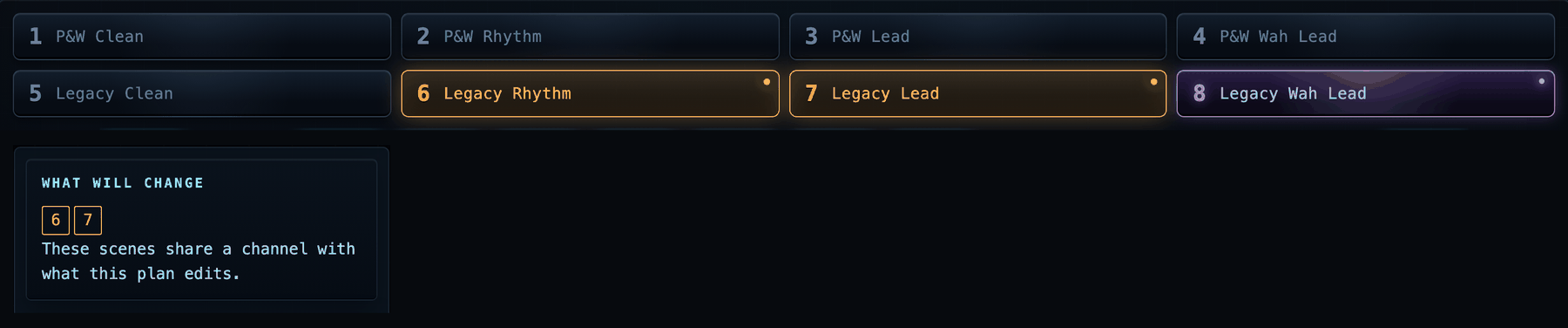
FM9 parameters live on the channel, not on the scene. Turning up the mid in scene 1 moves every other scene sharing that channel, which is the single easiest way to wreck a working preset without noticing.
So before anything is sent, the tool shows you the blast radius: every scene the pending plan would also move lights up and says WILL CHANGE, at the same visual weight as the scene you are standing in. It goes out the moment the plan does.
It can tell you whether a preset is actually correct
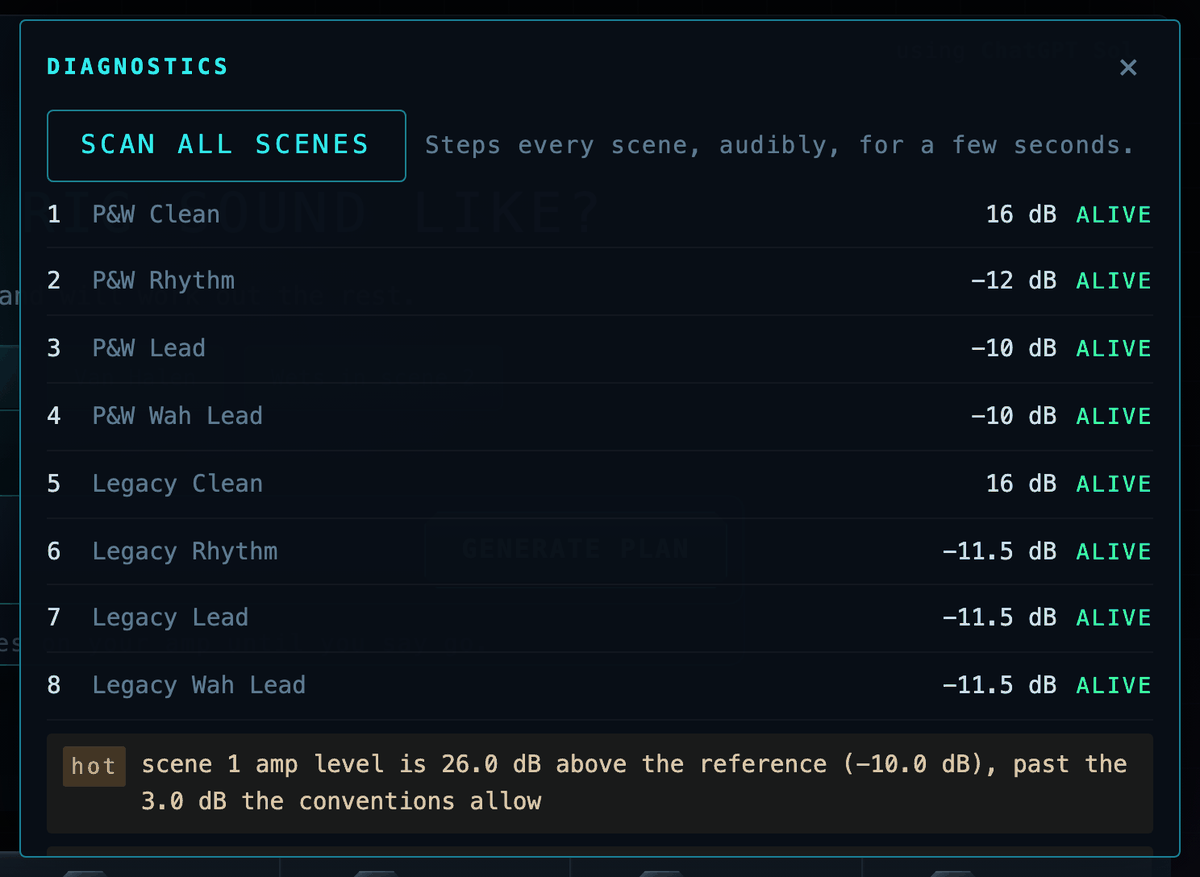
The question no other FM9 tool answers. FM9-Edit edits presets; it does not reason about them, so it will happily let you save one whose scene 4 makes no sound. A scan walks every named scene and reports whether a live signal path exists, names the hop that broke it when one does not, lists amp level and volume gain side by side, and flags scenes that are byte-identical duplicates of each other.
That last check found a real one: preset 151 had three scenes that were the same sound under different names, and three separate audits had passed it, because a duplicate is not broken by any rule anyone had written down.
The ladder ends honestly. Every check is a machine reading a wire, so the bottom rung always reads ears: pending.
Saving, with the safety catch on
Everything else in this app is edit buffer only and reversible. Saving is not,
so it gets its own panel and its own rules: it offers only the slots you listed
in TONECOMMAND_STORE_SLOTS and never a free-text number, shows both the wire
number and the FM9-Edit number for each, tells you what the slot currently
holds, and asks before it overwrites. It also says plainly that undo will not
help you here, because undo restores the edit buffer and cannot un-write a
preset slot.
It aims at the preset you are looking at, because "save" means "save this preset" to anyone who has ever used an editor. When the loaded preset is not one you marked disposable, the panel tells you so instead of quietly pointing somewhere else.
Storing is disabled until you designate disposable slots, because nobody but you knows what lives in your banks.
Undo and A/B, because the FM9 has neither
A snapshot is a silent read of the whole edit buffer, about a quarter of a second, taken automatically before every change. So UNDO is always armed rather than something you had to remember to turn on, and a restore writes only the handful of values that actually differ. Recalling A captures B first, so A/B is a round trip and not a one-way door.
Source: docs/INTERFACE.md in the repository.